Real Estate UX – Hubzu & Altisource
The Challenge: Disrupting the friction-heavy real estate marketplace for owners and investors.
The Solution: I redesigned the transaction flow to remove the "fear factor" from high-value digital purchases. By focusing on transparent data visualization and mobile-first listing flows, we made complex real estate acquisitions feel as simple as a standard eCommerce checkout.
The Impact: Streamlined the end-to-end buying experience for one of the largest real estate auction platforms in the world.
Altisource Saas products
Role: Principal UX Design Lead & Enterprise Strategist
Location: Boston, MA (Remote)
Team Size: 3 Lead Designers across Cross-functional Enterprise Pods (RE, Insurance, Mortgage/Banking, Legal)
Real Estate: Hubzu Project Walkthrough
1. Strategic Discovery & Competitive Analysis
The project began with a thorough discovery phase, including competitive analysis of leading real estate and auction platforms (Trulia, Redfin, Zillow, etc.). The findings revealed that while most competitors offer similar core functionalities, there is significant room for differentiation through smarter UI tweaks and a more cohesive visual language. The recommendation is to leverage data-driven testing and UI consolidation to create a “best in breed” user experience that feels natural and intuitive for Hubzu’s customers.
2. User Analytics & Personas
Analytics data shows a balanced demographic (gender, age), with a split between new visitors (likely to transact) and returning users (investors, brokers). Mobile usage is high, especially on Apple devices, and real estate professionals represent a notable segment. The highest bounce rates occur on search and property detail pages, indicating opportunities for improved filtering, cleaner data presentation, and more intuitive visual language. The primary personas are seasoned real estate investors and agents, but broadening the UX appeal to less experienced users is seen as a strategic advantage.
3. Problem Definition & UX Opportunities
Key site problems were identified, including inconsistent navigation taxonomy, mixed visual metaphors, and underdeveloped tools for events, contacts, and purchase management. The UX team is tasked with simplifying search filtering, cleaning up site modules, and integrating new features (e.g., event management, alerting tools, dashboard widgets) to make the platform more valuable and user-friendly.
4. Solution Architecture & Feature Goals
The technical solution is modular, with onboarding, event management, notifications, and UI changes as core components. Notably, Hubzu will market offline foreclosure auctions and provide users with tools to navigate, organize, and manage these events. The UX goals emphasize fast, organized, and convenient access to foreclosure listings, alerting capabilities, and a streamlined e-commerce purchase path. Aspirational goals include developing a highly intuitive visual language, integrating external data sources seamlessly, and leveraging mobile device strengths for logistics and notifications.
5. UX Design Focus & Flows
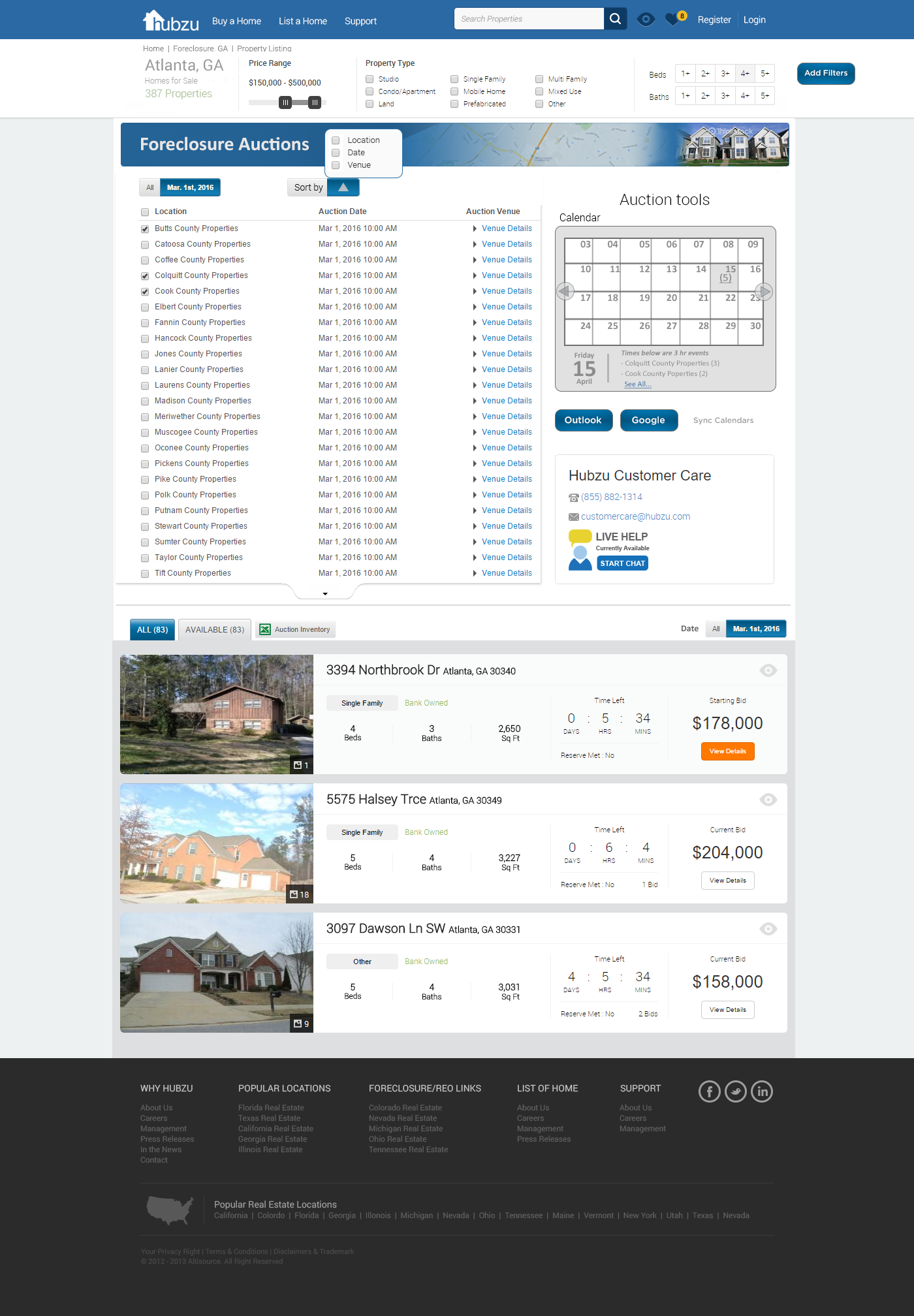
The design approach is structured around MVP sprints for immediate needs and aspirational design for long-term differentiation. Detailed flows are mapped for single property auctions, county-level event lists, and dashboard modules. Emphasis is placed on touch-friendly filtering, advanced logistics tools (watch lists, alerts, contacts), and contextual help modules. The dashboard is envisioned as a customizable hub for logged-in users, with widget management and event tracking.
6. Advanced Tools & Ecosystem Integration
The presentation outlines advanced logistics modules, including alert managers, contact syncing, and forms management. There is a strong focus on ecosystem integration—syncing with Google/Office/Apple calendars, enabling social sharing, and supporting mobile-first workflows. The UX strategy aims to build a profile-led, role-based personalized experience, with dynamic tools and customizable UI elements.
7. Next Steps & Recommendations
Immediate next steps include refining information architecture, cleaning up site modules, and developing a comprehensive visual language document for approval. The UX team is encouraged to prioritize dashboard and navigation enhancements, streamline search and browse paths, and ensure all new tools are tightly integrated with the overall site experience. Approval and decision points are flagged for leadership, with a call to align all new features to the dashboard and navigation changes.
Lead UX Takeaways
Data-Driven Design: Use analytics and competitive insights to guide UI/UX improvements.
Persona Expansion: While catering to power users, design for broader accessibility and delight.
Modular, Scalable Architecture: Build flexible tools and dashboards that can evolve with user needs.
Mobile-First & Ecosystem Integration: Prioritize mobile experiences and seamless integration with external tools.
Visual Language Consistency: Develop and enforce a unified visual system to reduce cognitive load and improve usability.
Continuous Iteration: Structure work in MVP sprints, but keep aspirational goals in view for long-term innovation.
Would you like a more detailed breakdown of specific UX flows, or recommendations for prioritizing features in your next sprint?
Detailed UX Flows in Hubzu CWCOTv2
1. Auction Property Flow
This flow guides users from the homepage through the process of discovering, filtering, and bidding on foreclosure properties:
Homepage Entry: Users start at the homepage, which offers clear navigation paths for different property types (Foreclosure, 2nd Chance, Preview FC, etc.) and sales methods (Auction, Traditional, Short-sale, Bank-owned).
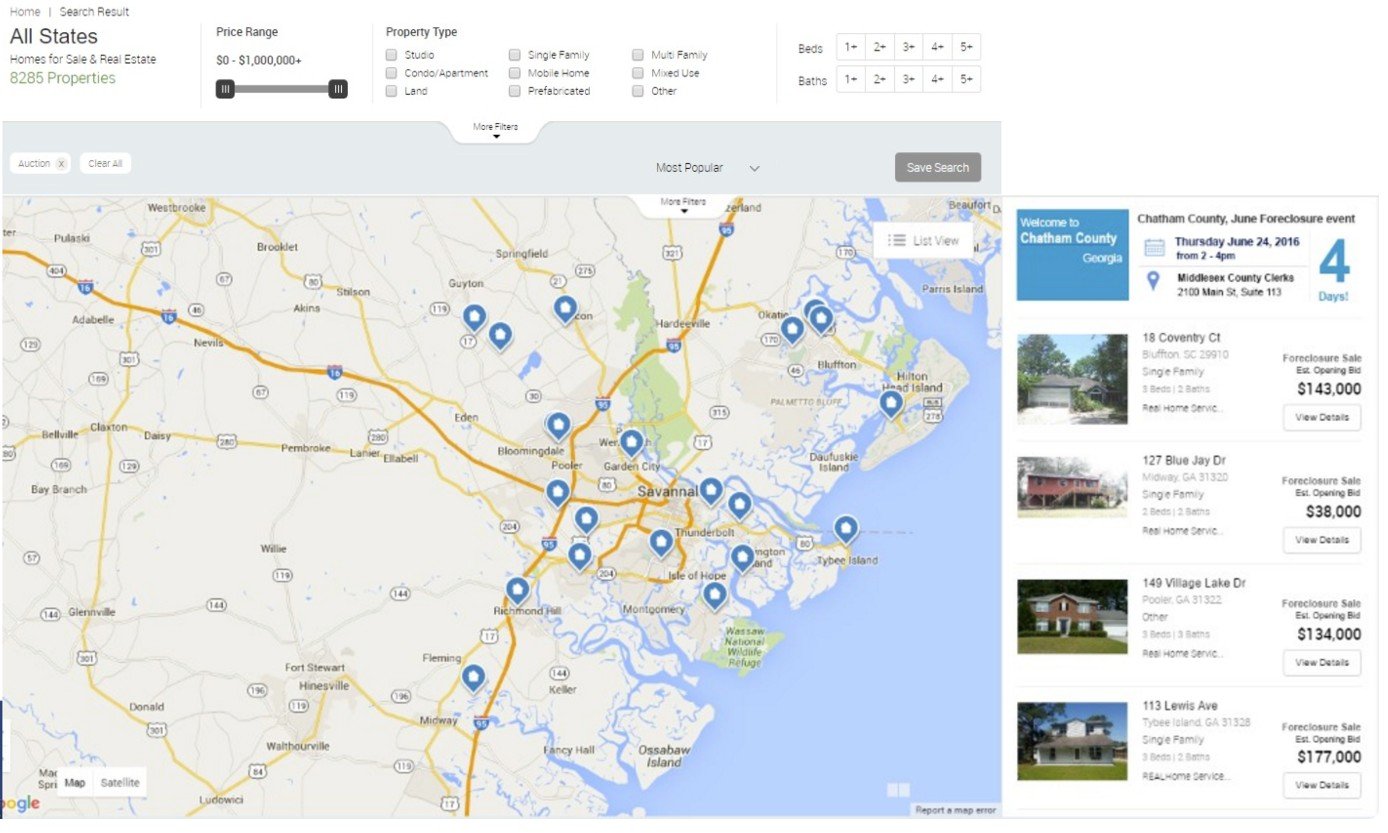
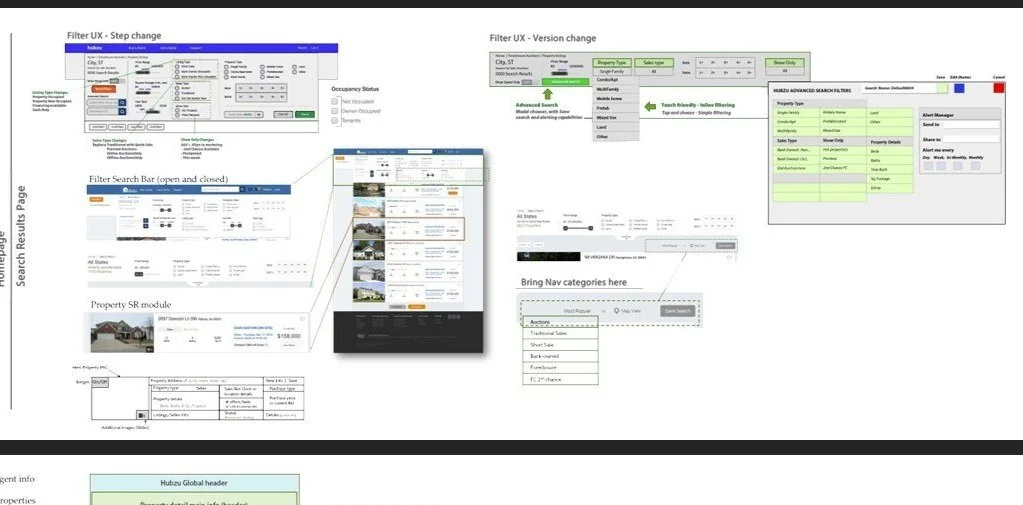
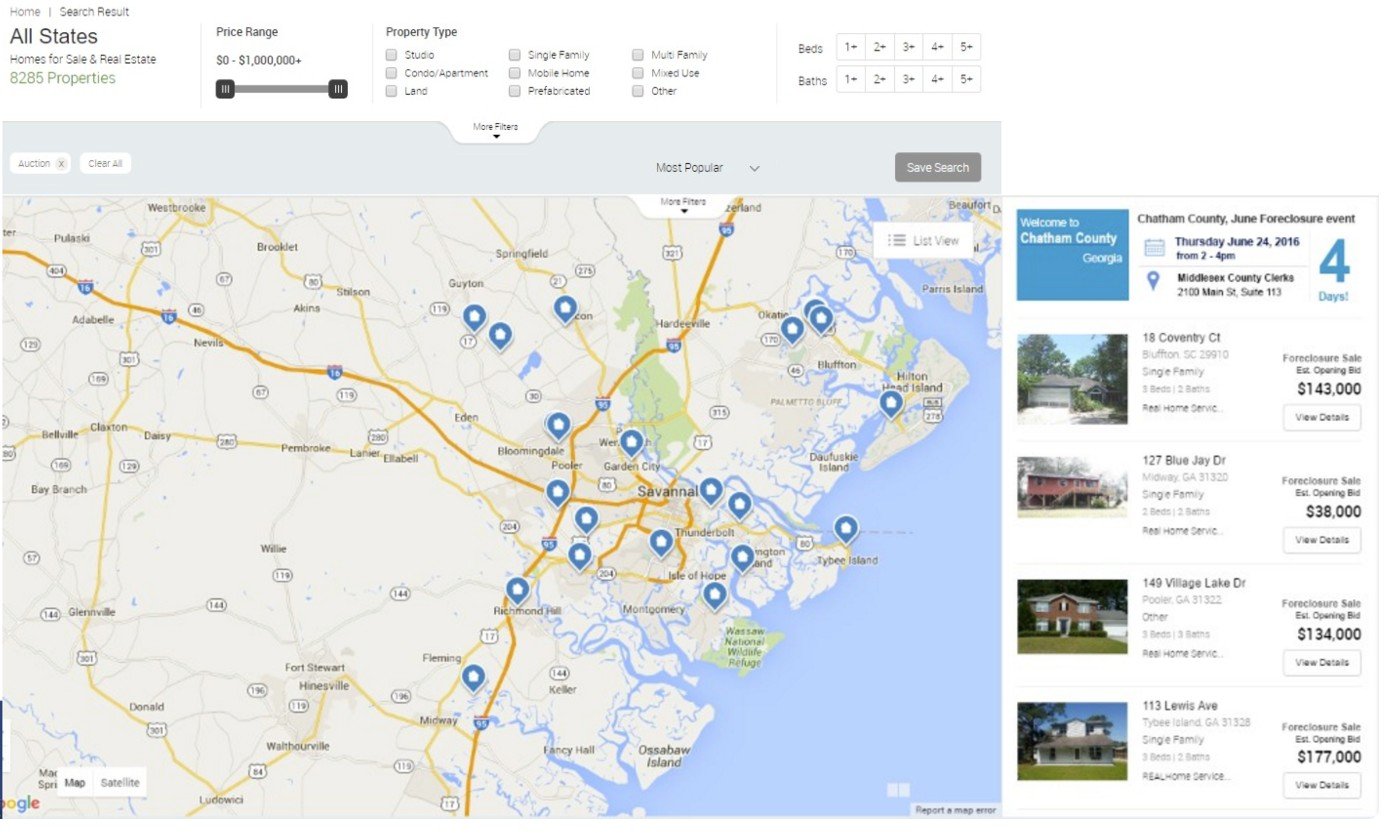
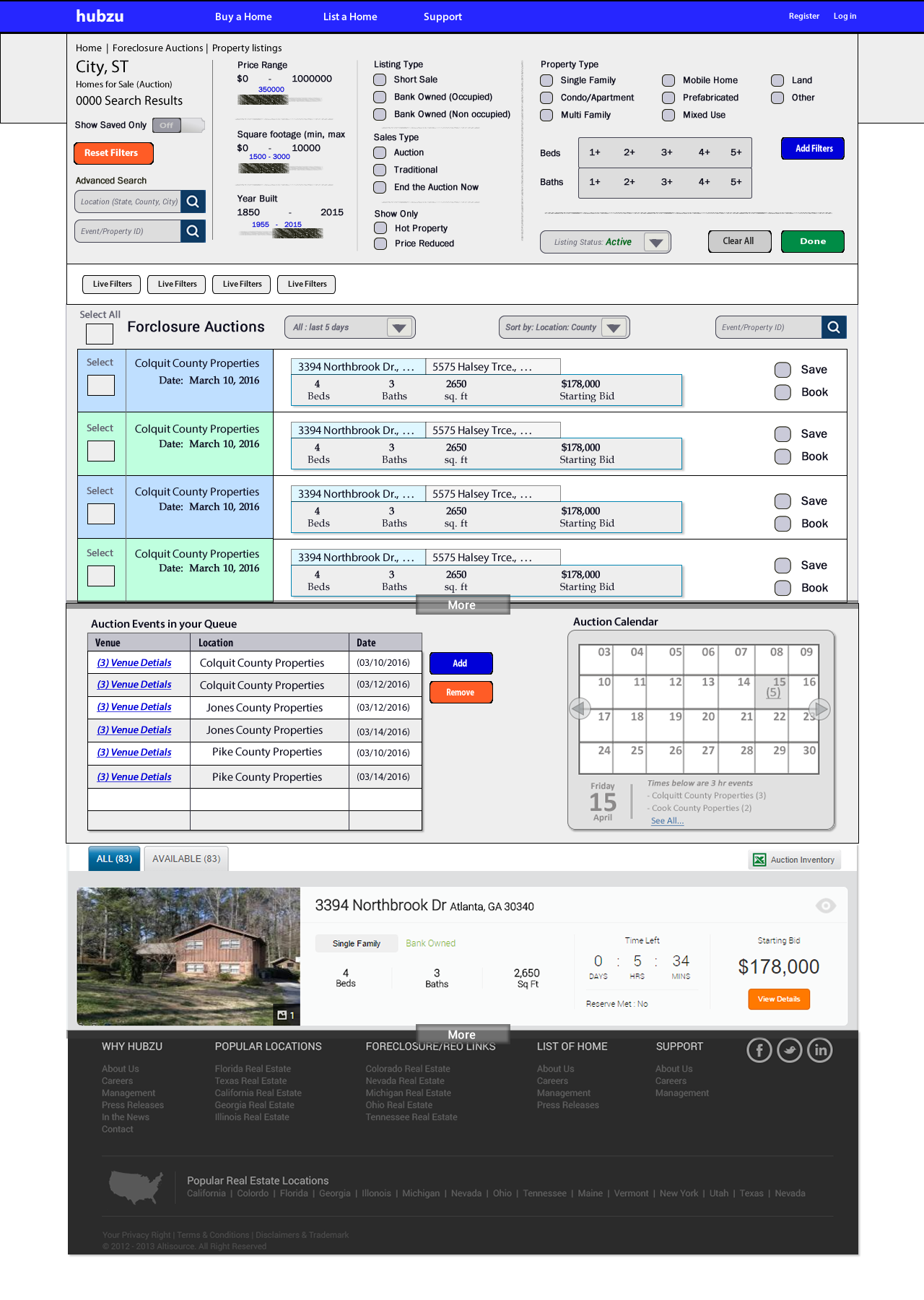
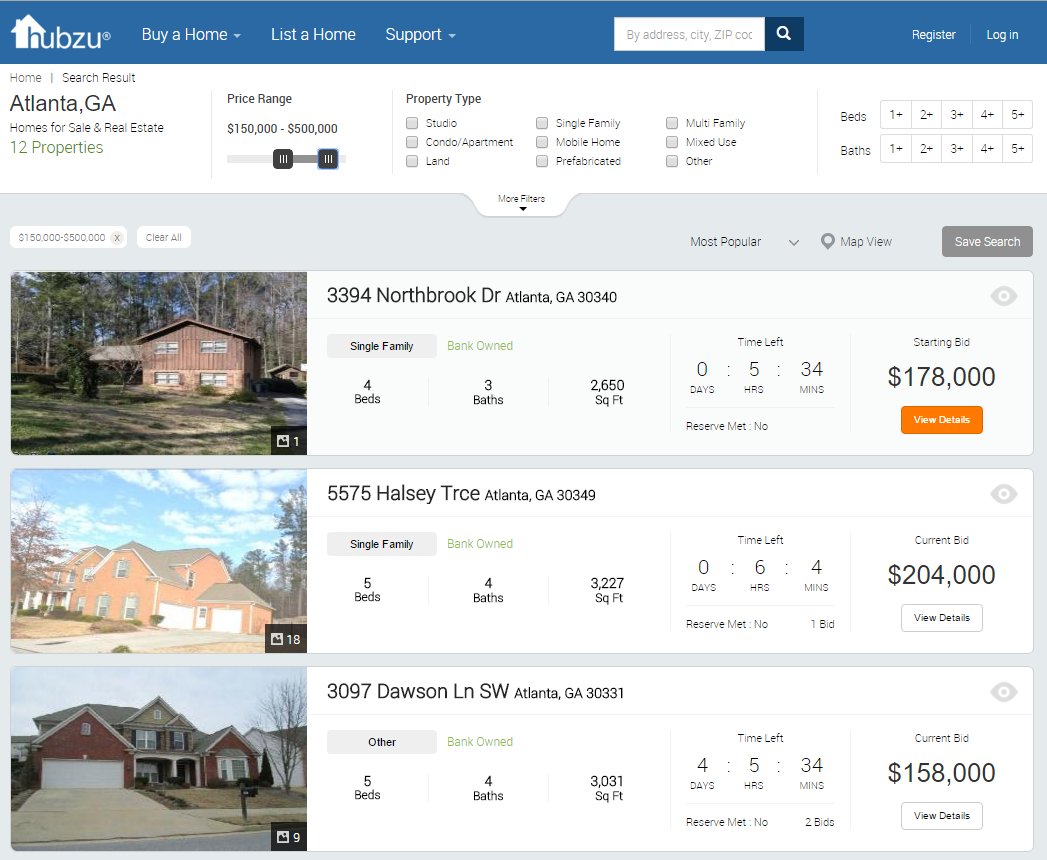
Search Results Page (SRP): Users apply filters (property type, sales type, auction status) via a touch-friendly search bar. The SRP displays property modules with images, badges, address, seller info, and bid status. Filtering is designed to be intuitive, with both basic and advanced options.
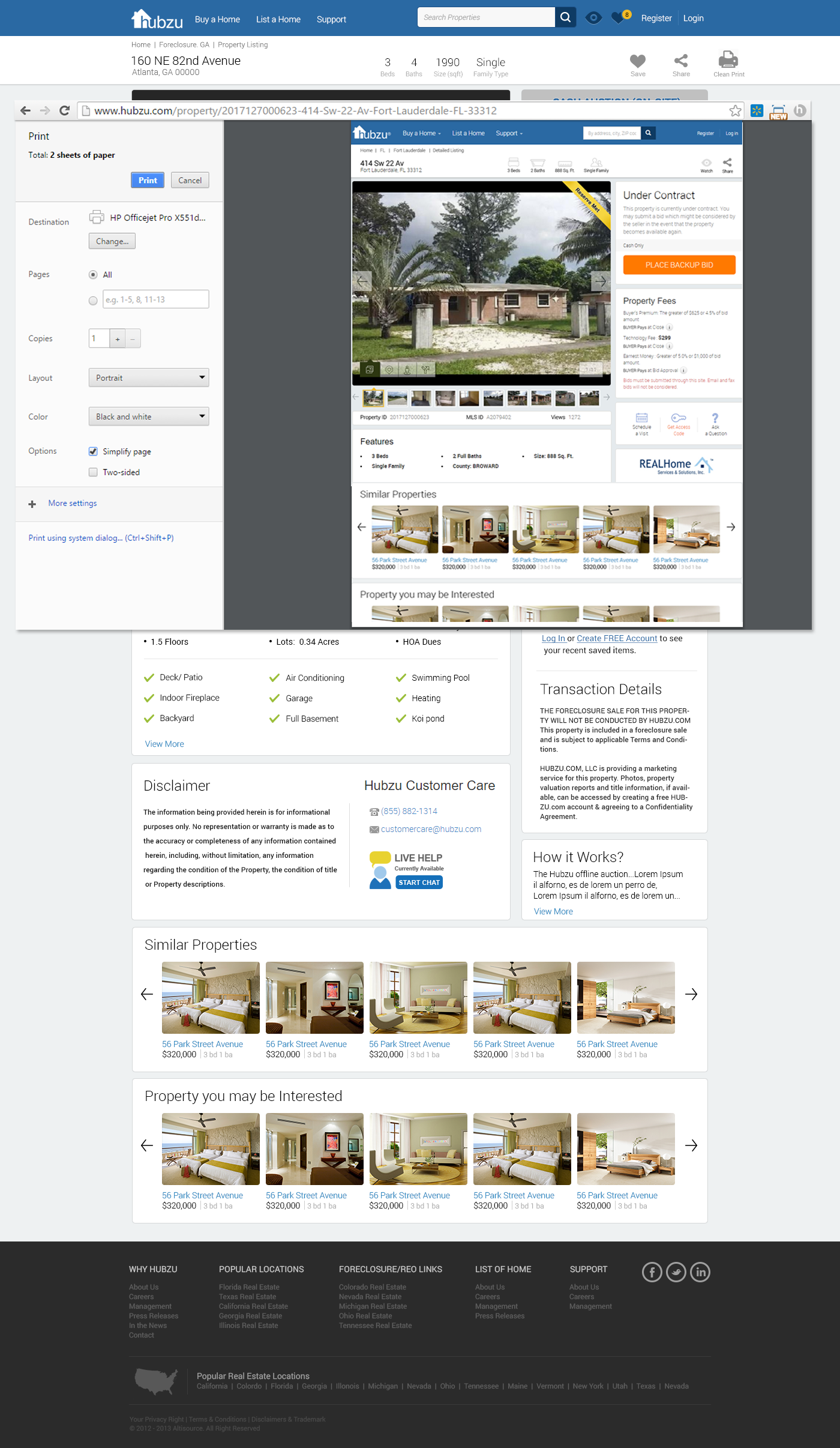
Property Detail Page (PDP): Clicking a property opens the PDP, which includes detailed photos, specs, auction details, and actionable CTAs (e.g., “Bid Now,” “Contact Clerk”). The PDP also provides contextual help, financing info, and links to county auction sites when relevant.
Bid Module: Users can place bids, view countdown clocks, and see current bid status. Messaging areas and next bid increments are included for clarity.
2. Event Management & Dashboard Flow
This flow supports power users (e.g., real estate professionals) in managing multiple auction events and contacts:
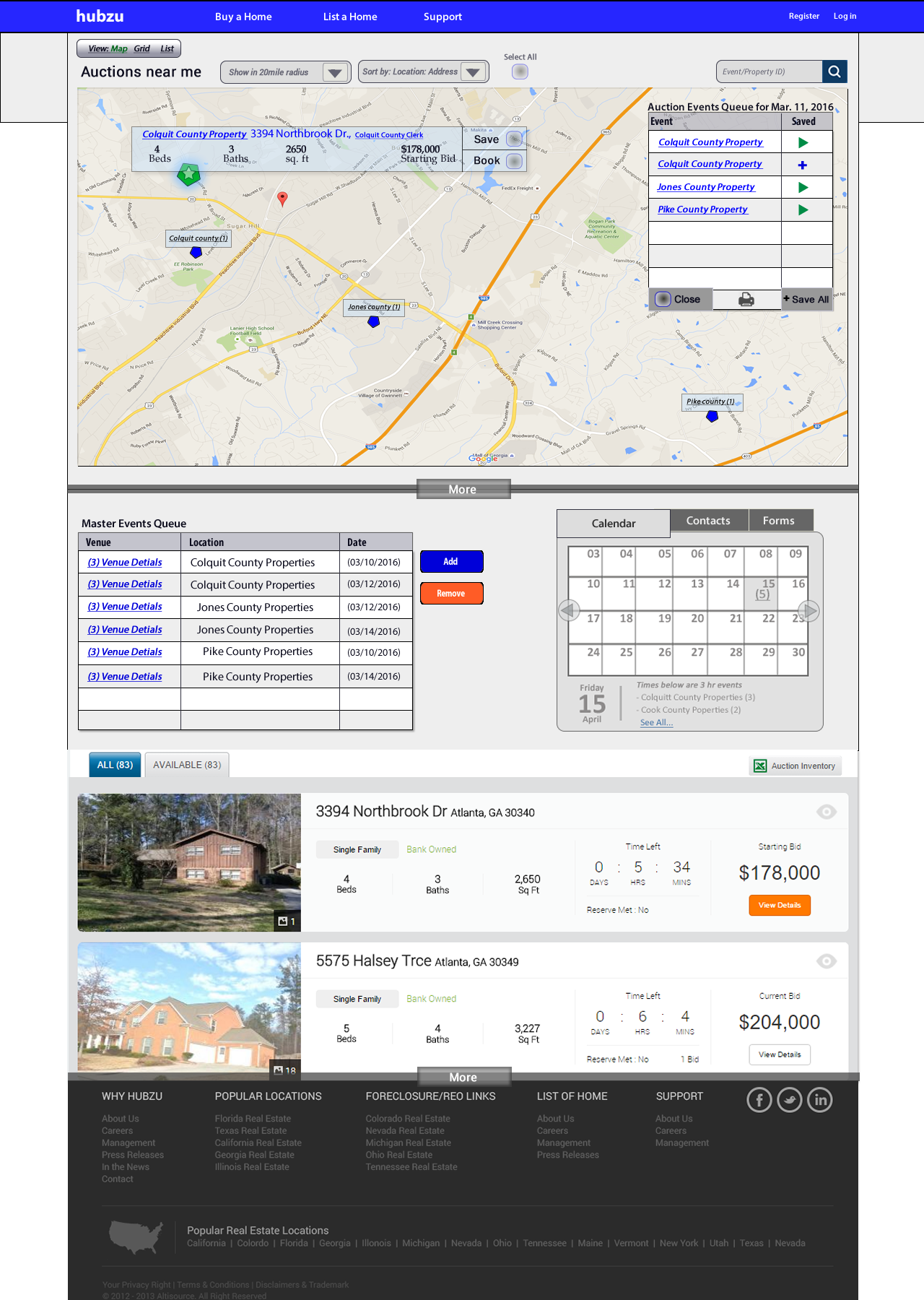
Event List & Calendar: Users can view and manage lists of upcoming foreclosure events, add events to their calendar, and set alerts (SMS, email, push notifications).
Dashboard Home: Logged-in users access a customizable dashboard, where they can add/remove widgets (e.g., event lists, bids, offers, contacts). Modal and in-frame filter editing tools allow for granular control over event and property lists.
Advanced Logistics Tools: Watch lists, alert managers, and contact modules are integrated, allowing users to track properties, manage communications, and sync with external calendars. Social sharing and deep linking to bids, financing, and account settings are supported.
3. Search & Filtering Flow
A core focus is on making search and filtering both powerful and easy to use:
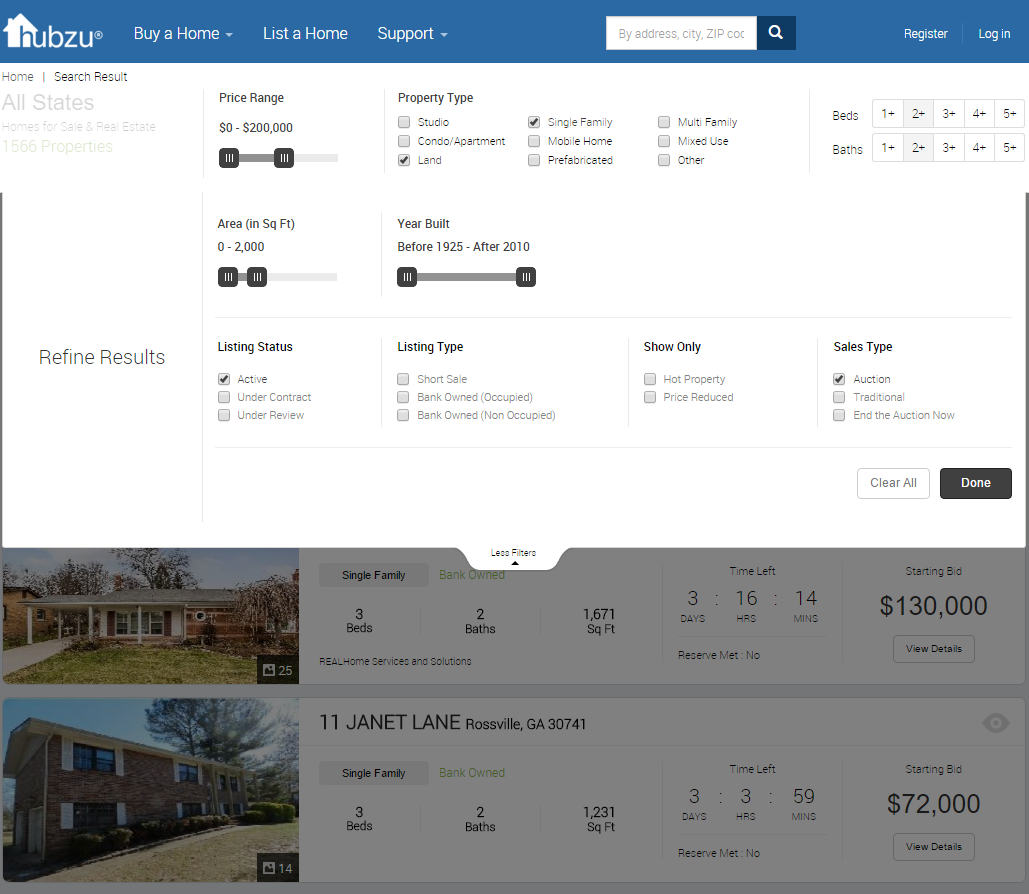
Inline & Advanced Filtering: Users can quickly filter properties by type, status, and other criteria directly from the SRP or dashboard. Advanced filters are available for more granular searches, with results updating automatically or via a “Done” button.
Touch-Friendly Design: Filtering controls are optimized for mobile and tablet use, supporting the high percentage of mobile traffic identified in analytics.
4. User Actions & Communication Flow
Supporting user engagement and transaction management:
Alerts & Notifications: Users can set up alerts for events, bids, and property status changes, choosing their preferred communication channel (SMS, email, etc.).
Contact & Help Modules: Contextual help and contact options (call, chat, email) are embedded throughout the site, especially in PDPs and dashboard modules, to support users at every step.
5. Persona-Based Flows
The presentation includes a “Day in the Life” scenario for a real estate pro, illustrating how the platform supports complex workflows—planning auctions, managing bids, syncing contacts, and handling notifications across devices